SHIFT's eLearning Blog

Our blog provides the best practices, tips, and inspiration for corporate training, instructional design, eLearning and mLearning.

To visit the Spanish blog, click here
    All Posts

    3 Essential Tools to Add Pizzazz to Your eLearning Courseware

    elearning toolsWhile eLearning has many advantages, learners sometimes can feel like they are drifting on a life raft in the middle of an ocean. Truth is many online training sessions still utilize a traditional content-centered approach. eLearning developers are so inspired by their own content that they forget about their students. This creates an environment where learners are more likely to give up.

    Modern learners are primarily active; they are used to constant interaction, in one form or another.  They are accustomed to novel technology, graphics and displays, and this should be incorporated into the training process. Adding more interaction to the online learning experience allows students to think, explore and offer input on the subject matter. Placing students at the centre of the learning process makes them feel like an essential part of the experience and fires up their brains, making training more fun and lasting.

    As free cloud tools become increasingly available online, it seems like the best time to start using these in your eLearning courses. Environments that make effective use of communication technologies to connect learners in meaningful ways and include relevant and authentic learning activities are the most likely to succeed (Herrington, Reeves, & Oliver, 2010). 

    Here are three free ways you can make your learners love your eLearning courses and learn quickly. Try them to see if they can add pizzazz to your courseware. Adding pizzazz to the experience translates to less drop-outs and happy students.

    1) EduBlog

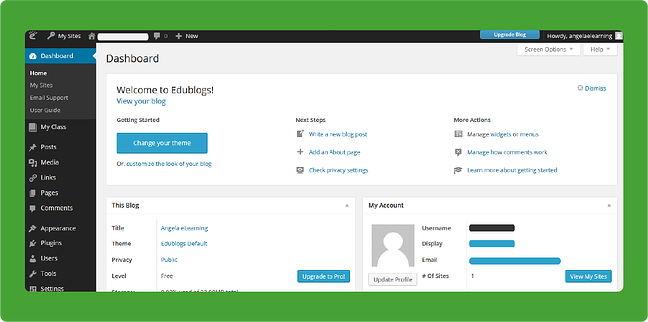
    While a blog doesn't add immediate interaction between students and instructor, it can be a powerful tool in the online learning environment. Edublog was created specifically for the use of school and universities, however, training and eLearning professionals can also make use of this tool. It basically helps create and manage blogs of both insturctors and students.  

    An instructor can use this tool to provide additional information to teach, to build an onlinecommunity, to create projects and more. It is a great platform to post questions that get learners thinking about a certain subject or debating another one. With the ability to comment on the information posted, students have a chance to become involved and see what others in their course think and feel.  The blog can also be used for updates on things like schedule changes, added material, assignment due dates and more.Instructors and trainers can curate blog choices and pass them to the students to keep track of important content.
    edublogs elearning 

    2) Skype 

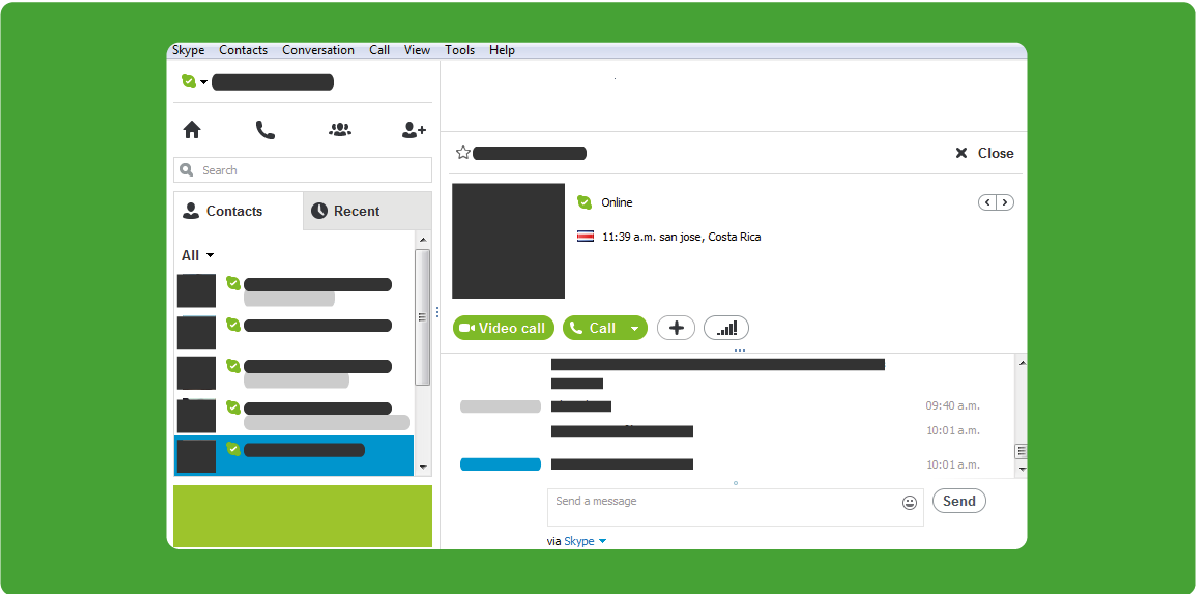
    This tool has to be one of the best for creating a sense of community and knowing that others are in the same place you are. When communication channels like Skype are available, the sense of community is intensified and learners know that they’re not by their own. 

    Skype is a free tool that enables two people or a whole group of learners to experience chat, voice or video conferencing.  It allows students and instructors to all interact at the same time, asking and answering questions, debating and clarifying points that may be confusing via the written word.  By using the Share Screen option, instructors can make demonstrations to welcome the learners, or even show a presentation to the the group while they narrate it, and better yet, students can make and receive instant feedback. Essentially, Skype allows the virtual classroom to have benefits of flexibility and community at the same time.

    Further readings:

    elearning tools

    3) Google Drive

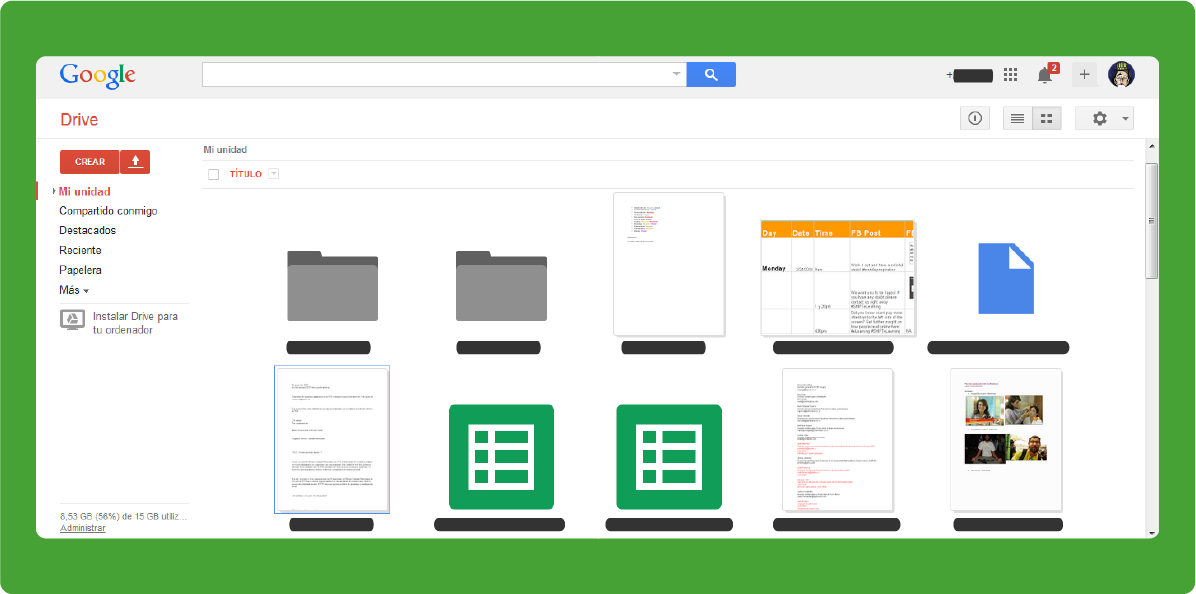
    This tool allows students and online instructors to create, share and edit documents, spreadsheets or presentations in real time using a Google Account.  It also allows for sharing of videos that can enhance the learning experience. 

    In the past, assignments for an eLearning course had to be limited to individual projects simply because using email took time and often did not allow for large files to be sent back and forth. With Google Drive, group projects are as easy, if not easier, than in a traditional classroom. Once a document is uploaded, everyone in the group has access to it, make suggestions or add their own information. There is no need for all parties to be available at the same time, yet the project is not left to sit and wait until one person adds their input. The other students can continue working as they wait. This real-time collaboration gives e-learners a chance to engage and interact with their peers, much like they would if they were huddled around a table working together.

    An extended benefit of Google Drive is the several other tools you can integrate to the experience (all feature-rich and collaboration-friendly): 

    elearning tools

    With all the tools available to the online instructor, today's learning environments can become more rich and effective. Versatility, human interaction and the whole Internet at your fingertips all create a learning context with endless possibilities. 

    While it is not possible to cover all of the tools available here, the three tools mentioned above are a good starting point when used as additions to the virtual classroom. They can greatly enhance the satisfaction of both students and instructors.


     engaging eLearning courses

    Click me
    Karla Gutierrez
    Karla Gutierrez
    Karla is an Inbound Marketer @Aura Interactiva, the developers of SHIFT. ES:Karla is an Inbound Marketer @Aura Interactiva, the developers of SHIFT.

    Related Posts

    The Forgetting Curve: Why Your Training Is Erased Within a Week — and How to Stop It

    Learning Science & Retention Your people don't have a motivation problem. They have a memory problem — and a 140-year-old experiment maps it precisely. Here's what the science says, and what to do about it on Monday morning. Picture the last mandatory training your organization ran. The completion dashboard glowed green. People passed the quiz. Leadership checked the box. Now ask an uncomfortable question: how much of it could those same employees actually use two weeks later? If the honest answer is “not much,” you're not looking at a failure of effort or attention. You're looking at a fundamental property of the human brain — one that was measured, plotted, and published before the light bulb was in common use. It's called the forgetting curve, and until your learning strategy accounts for it, you are quietly paying to fill a bucket that has a hole in the bottom. A 19th-Century Experiment That Still Governs Your Training Budget In the 1880s, a German psychologist named Hermann Ebbinghaus decided to do something no one had tried: measure memory itself. He created hundreds of meaningless three-letter syllables, memorized them, and then tested how much he could recall after 20 minutes, an hour, a day, and beyond. He plotted the results. What he found has a shape every executive would recognize as a problem: memory doesn't fade gently and evenly. It collapses fast at first — the steepest loss happens within hours of learning — and then the decline slows as whatever survives settles in. Draw it on a graph and you get a cliff, not a gentle slope. Here is the version that matters to anyone responsible for a workforce: 100% 75% 50% 25% 0% Knowledge retained Day 0 Day 1 Day 3 Day 7 Day 30 Time after training review review review One-and-done training Training + spaced reinforcement The red line is what most corporate training buys: a steep drop-off in the days after the session. The green line shows the same content reinforced at spaced intervals. Each review lifts retention back up — and each time, the memory decays more slowly than before. The curve gets flatter with every touch. The important detail isn't the exact numbers on the axis — those vary by person, by material, and by how meaningful the content is. The important detail is the shape. Learning delivered once, then never revisited, follows the red line down. And no amount of polish on the original session changes that trajectory. A beautifully produced course that is never reinforced forgets just as fast as a boring one. This Isn't a Theory. It Has Been Replicated for 140 Years. It would be fair to be skeptical of a result from the 1880s built on one person memorizing nonsense syllables. So it's worth knowing that Ebbinghaus's curve is one of the most durable findings in all of psychology. A rigorous 2015 replication reproduced his forgetting curve closely, confirming that the basic shape holds up under modern methods. More importantly for organizations, the solution the curve implies has been tested far more broadly than the curve itself. A landmark scientific review synthesized 317 experiments on how the timing of practice affects memory. The conclusion is one of the most consistent in learning science: spreading learning out over time produces dramatically better long-term retention than cramming it into a single session. Same content, same total time — different result, purely because of when it was delivered. 317 separate experiments, synthesized in one landmark review, point to the same conclusion: spaced learning beats massed learning for durable retention. This is not a trend or a vendor claim — it is settled science. “The single most under-used lever in corporate learning isn't better content or bigger budgets. It's timing. When you deliver training is as decisive as what you deliver.” Why the Standard Corporate Training Model Fights the Brain Most organizational learning is designed almost perfectly to sit on the wrong line of that graph. Consider how a typical program works: 1 It's an event, not a process A half-day workshop, an annual compliance module, a one-time onboarding marathon. The brain treats a single exposure as low-priority information and prunes it — exactly as the curve predicts. 2 It front-loads everything Cramming a year's worth of policy into one sitting feels efficient and is the opposite. Massed delivery is the single fastest way to guarantee the steep red curve. 3 It measures completion, not retention A 95% completion rate tells you people sat through the content. It says nothing about whether they'll remember it when the moment to apply it arrives — which is the only thing that affects performance. 4 It never comes back Without a deliberate second, third, and fourth touch, there is no mechanism to interrupt forgetting. The reinforcement that flattens the curve simply never happens. The result is an expensive illusion of learning. The activity is real. The lasting capability is not. And because the forgetting happens quietly, weeks after the training when no one is looking, the loss rarely shows up on any report. What Working With the Curve Looks Like Instead The good news hidden in the forgetting curve is that it also hands you the fix. Every time a memory is retrieved and reinforced, it decays more slowly afterward. So the entire game becomes: interrupt the drop-off, at the right moments, with the least possible friction. Here is how that translates into practice. The event model (fights the curve) The reinforcement model (works with it) One long session, then silence A short initial session, then spaced follow-ups over days and weeks Passive re-reading of slides Active recall — a quick question that forces the brain to retrieve the answer Everyone reviews everything People revisit what they got wrong, not what they already know Training lives in a separate portal Reinforcement arrives in the flow of work, in two-minute doses Success = course completed Success = knowledge still there weeks later, and visible in behavior 1. Turn the event into a sequence The most powerful change costs almost nothing: stop thinking of training as a day and start thinking of it as a campaign. A 40-minute course followed by three short reinforcement touches over the next month will outperform a two-hour course followed by nothing — with less total seat time. 2. Make people retrieve, not re-read Reinforcement works because the brain has to pull the answer out, not because it sees the content again. A single well-placed question — “What's the first step if you spot this?” — does more for retention than re-watching the whole module. Build retrieval into every touch. 3. Space the touches, then widen the gaps Revisit new material soon after the first exposure, then let the intervals grow — a day, then several days, then a couple of weeks. As the memory strengthens, it needs reinforcing less often. Each cycle buys a flatter curve and a longer runway. 4. Personalize what gets reviewed Forcing a top performer to review what they already know wastes their time and erodes goodwill. Reinforcement should concentrate on each person's weak spots. This is where the reinforcement model stops being a scheduling exercise and starts requiring a system that can adapt to the individual. Key Takeaway The forgetting curve is not a reason to spend more on training. It's a reason to spend differently. The organizations that win aren't the ones with the biggest course libraries — they're the ones that reinforce a smaller amount of content at the right moments, so it actually survives. The Business Case Is Simpler Than It Looks Strip away the neuroscience and the argument for organizations is blunt. If most of what you teach is gone within a week, then the true cost of one-and-done training isn't the price of the course. It's the price of the course plus everything that goes wrong because the knowledge wasn't there when it counted — the compliance miss, the safety lapse, the sales conversation that fell flat, the new hire who takes twice as long to become productive. Reinforcement doesn't just improve a training metric. It's the difference between learning that changes what people do and learning that briefly changes what they can recite. For any leader who has ever wondered why a well-run training program didn't move performance, the forgetting curve is usually the answer — and the reinforcement model is usually the remedy. How SHIFT Helps You Beat the Curve This is precisely the problem SHIFT was built to solve. For nearly three decades, we've helped global organizations move learning off the steep red line and onto the flatter green one — not with more content, but with smarter delivery. Our AI-powered ecosystem is designed around how memory actually works: create engaging learning fast, then reinforce it with spaced, retrieval-based touches that adapt to each learner and reach them in the flow of work. Instead of a single event that fades by Friday, you get a sequence engineered to make knowledge stick — and the measurement to prove it did. 1 Built for reinforcement, not just delivery Learning is designed as a sequence of well-timed touches, so retention is engineered in from the start rather than hoped for after the fact. 2 Adaptive by design Each learner spends their time on what they haven't yet mastered — the personalization that makes reinforcement efficient instead of tedious. 3 Proven at global scale Six million people trained across more than 43 countries, backed by nearly 30 years of eLearning expertise and roughly 20 industry awards. This is battle-tested, not experimental. Stop paying to be forgotten. See how SHIFT turns one-and-done training into learning that survives the forgetting curve — and shows up in performance. Request a Demo The Bottom Line Ebbinghaus proved something in the 1880s that most organizations still ignore in the 2020s: without reinforcement, learning evaporates, fast. The forgetting curve isn't a footnote in a psychology textbook. It's a line item in your budget — the invisible cost of every program that ends the moment the session does. You can't switch off forgetting. But you can decide which curve your people ride. The question isn't whether your training is being forgotten. It's whether you're going to do anything about it. Sources: Ebbinghaus, H., Über das Gedächtnis (1885) • Murre, J.M.J. & Dros, J., “Replication and Analysis of Ebbinghaus' Forgetting Curve,” PLOS ONE (2015) • Cepeda, N.J., Pashler, H., Vul, E., Wixted, J.T. & Rohrer, D., “Distributed Practice in Verbal Recall Tasks,” Psychological Bulletin (2006)

    Every Employee Now Has a Tutor That Never Sleeps. The Question Is Who Controls It.

    The most important shift artificial intelligence brings to corporate learning is not that it can generate a course in minutes. It is that, for the first time, every employee in your organization can have something that used to be reserved for executives and elite athletes: a patient, always-available coach that answers the exact question they have, at the exact moment they have it.

    Your Best Knowledge Shouldn't Train Someone Else's Model

    Every organization is quietly sitting on a body of knowledge it spent years and serious money to build: the way it onboards people, the methods that make its training work, the hard-won answers to questions customers actually ask, the playbooks that separate it from competitors. For most companies, that knowledge lives scattered across documents, courses, recorded sessions, and the heads of a few experienced people.

    {{ footer_js() }} {{ js_integration_body_end() }}